
Trick or Treat
Dress up your Mac's Desktop for Halloween.
Right-click any file or folder and choose 🎃 Trick or Treat. It gets a surprise costume, with a spooky sound to match.
Download for MacHeads-up: macOS shows a warning the first time. Here's the 3-click fix ↓
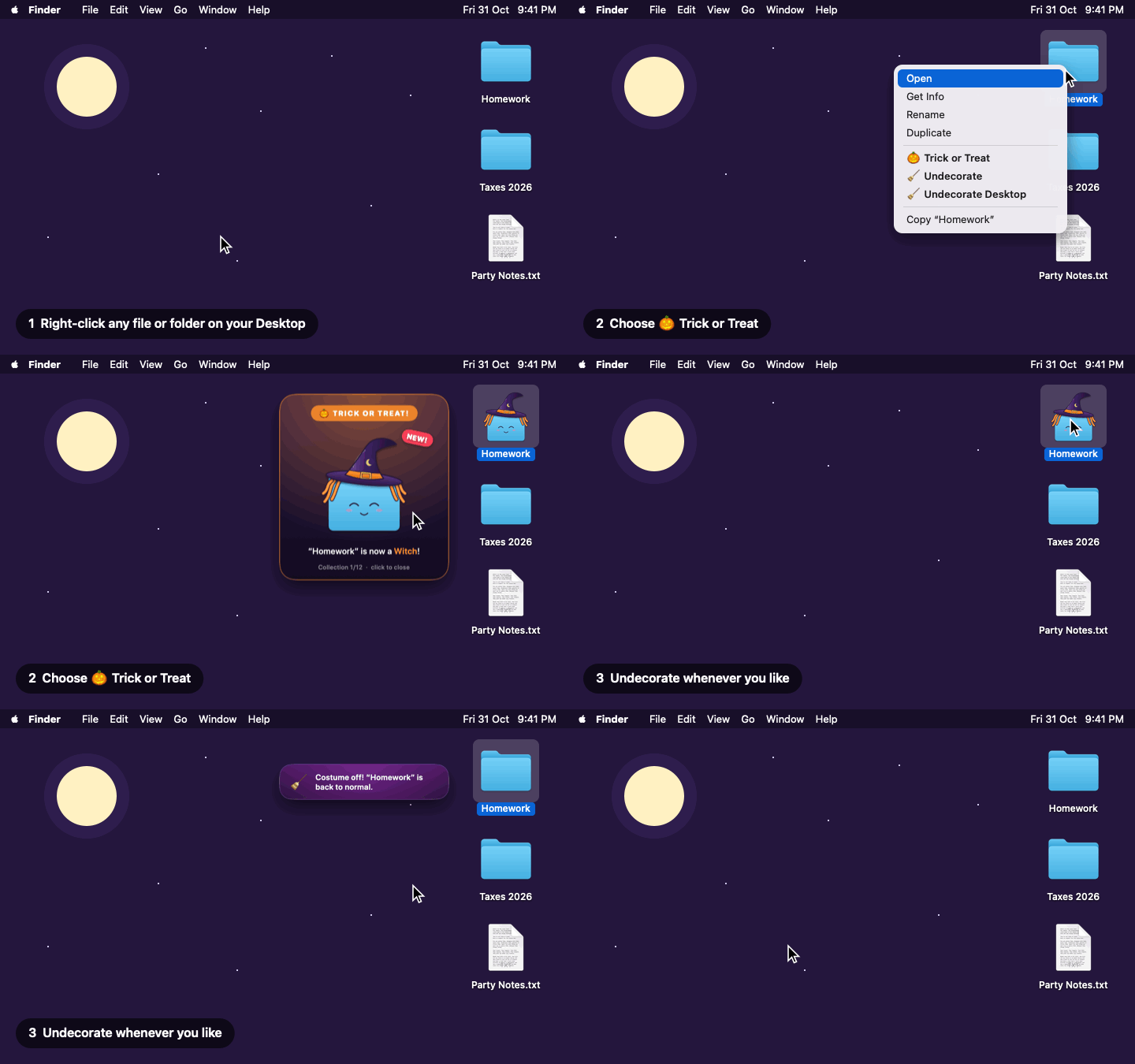
How it works

- Right-click any file or folder on your Desktop and choose 🎃 Trick or Treat.
- It gets a random costume. Files keep their preview underneath, so a screenshot stays a screenshot, just wearing a witch hat.
- Halloween over? Right-click it and choose 🧹 Undecorate, or pick 🧹 Undecorate Desktop to clear everything at once. It all goes back exactly how it was.
Install
- Open the DMG and drag Trick or Treat into Applications.
- Open the app. The first time, macOS shows a warning: here's how to get past it. You only do this once.
- In the window that opens, click Open Settings and switch on the Trick or Treat Finder extension.
- Right-click something on your Desktop. Happy Halloween!
Seeing a warning?
Trick or Treat is free and open source, but it isn't signed by Apple (that costs $99 a year). So the first time you open it, macOS says it can't check it. Three clicks and you're in:
-
1. Click Done, not Move to Trash.
-
2. Open System Settings › Privacy & Security, scroll down and click Open Anyway.
-
3. Confirm with your password and click Open Anyway. It won't ask again.
Rather check it first? The full source code is on GitHub.
12 costumes to collect
??????
??????
Every pull is a surprise. Which will you get?